| Imaris |
ImarisInPress
|
 |
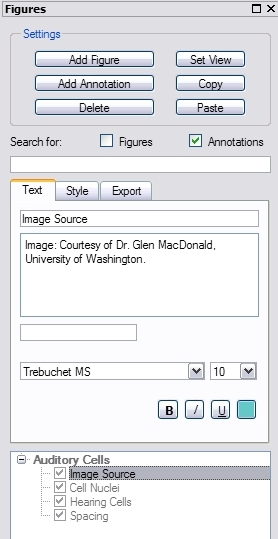
The ImarisInPress control panel is integrated into the view control bar of the
current view. For better handling it can also be un-docked by dragging it off
its integrated position or clicking on the docking icon (top right, next to x).
Using the ImarisInPress control you define the figure legend with annotation
texts the visual appearance, and export the figure (in this version HTML only).
|
 |
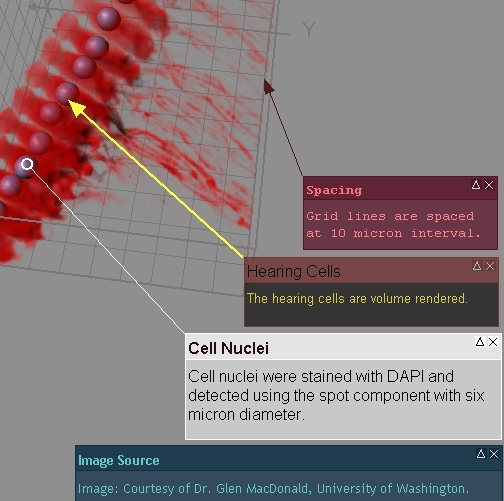
The figure to the left shows different annotation styles made with ImarisXT. The
attachment to a 3D position remains intact when the scene is rotated, zoomed, or
panned.
|
|
Surpass
 |
-
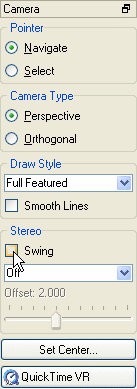
Swing mode:
A Novel 3D viewing and precise interaction mode. Imaris produces a real 3D
impression by a smooth animation of the view. This helps to get an understanding
of the image depth, while manipulating with Surpass objects: Spots, Filaments,
Measurement Points.
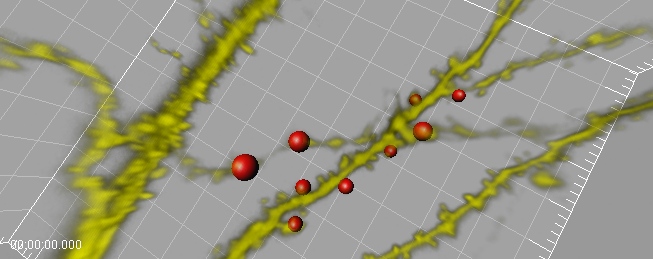
(click the image to download a movie)
-
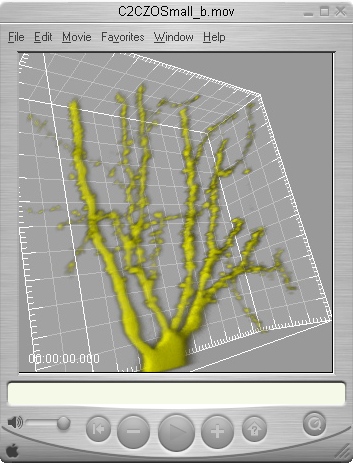
Quick Time VR:
 |
Export your Surpass scene, and visualize it interactively in
your Presentation. |
|
| Statusbar |
-
-
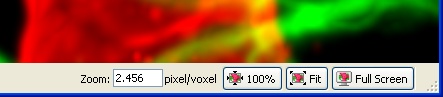
Zoom value can be edited numerically
-
100% sets zoom to 1 pixel/voxel and centers the image
-
Fit adjusts the zoom to best fit the image into the window
-
Full screen maximizes the viewing area to the screen
-
The status bar can be turned off and on in the "view" menu.
-
Works in ALL Imaris views
|
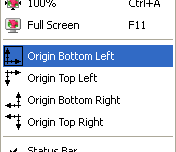
View Origin
 |
-
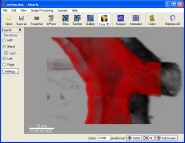
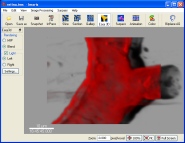
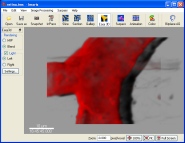
The origin of the coordinate system can be set to any corner of all the views:
Bottom Left, Top Left, Bottom Right, or Top Right (menu "View")
|
| General |
-
Added
support for 64-bit
hardware architecture
-
Creation wizzard for Isosurfaces
-
Easy 3D automatically re-calculates image upon changes.
-
Any Imaris view can now be used as image processing preview
-
New
Local Contrast
function enhances object contrast based on local intensity differences
-
Imaris stores last active viewer in preferences
-
Various new keyboard shortcuts and icons in menu
|
| Thumbnails |
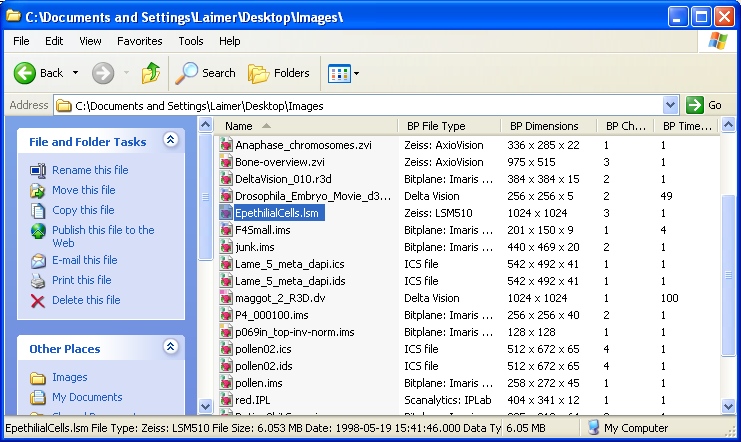
Imaris extends the file explorer:
The above figure shows a folder's detail view with additional Bitplane fields
such as the number of time points and the number of channels. Several additional
fields are available such as voxel size, image description, or detailed file
format.
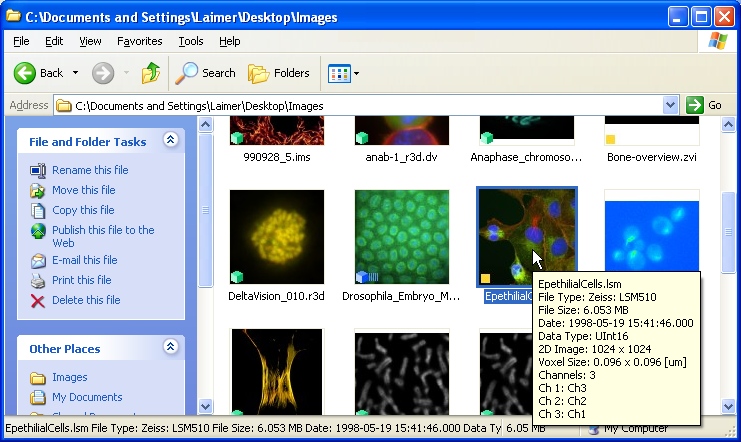
The above figure shows a folder's thumbnail view. The thumbnails are generated
with the Imaris extension. An icon at the corner indicates the image type:

2D Image |

2D-Time Image |

3D Image |

3D-Time Image |
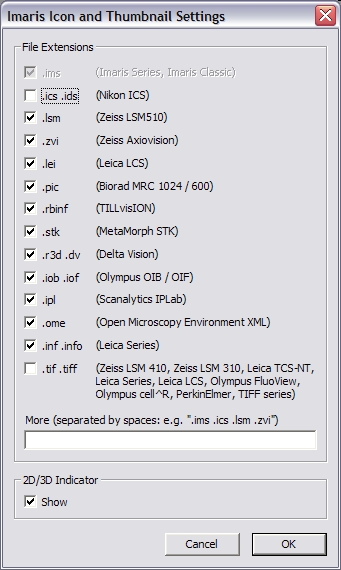
The above figure shows the file association dialog for the thumbnail creator (Imaris:
Edit Menu). Thumbnails will be created and MetaData will be extracted from all
checked file types.
|
| File I/O + |
|
| FilamentTracer |
|
High-Precision Center Lines and Diameters
|
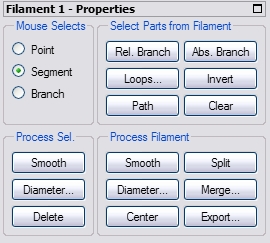
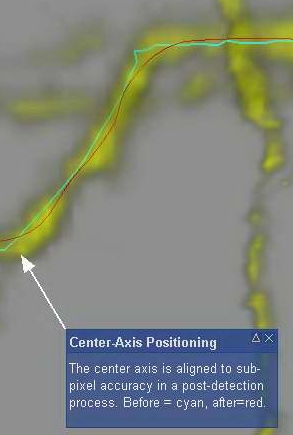
Following the creation process which can be automatic or manual or a combination
of both, Imaris centers the middle-axis of the dendrite (Center button) and
computes the diameters from the image (Diameter button). Using subsequent "Smooth"
operations on the whole filament will level out too large variations in the
filament diameter which were perhaps introduced by uneven staining.
The above figure shows the result of the "Center" operation.
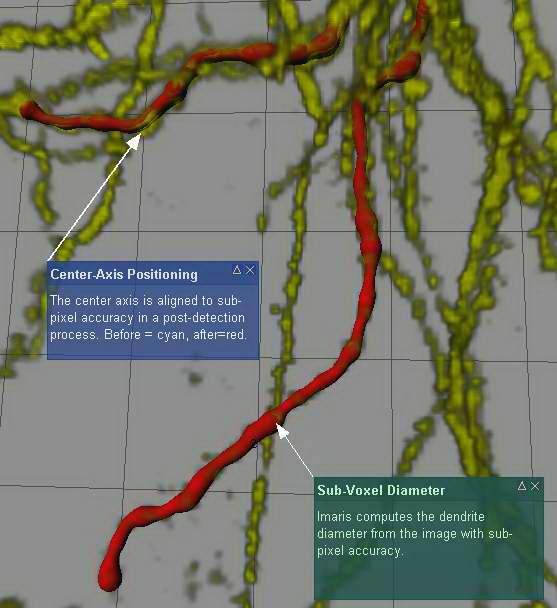
The above figure shows the image using volume rendering in yellow and two
automatically detected dendrites in red. Note the variable diameters which are
also taken into account when computing the volume of the filament or segment.
|
| ImarisXT |
| ImageProcessing |
ImarisXT has a new class called "IImageProcessing" with the
methods listed below. These functions allows you to also use Imaris' image
processing functions in your own application.
AnisotropicDiffusionFilterChannel
AnisotropicDiffusionFilterDataSet
BaselineSubtractChannel
BaselineSubtractDataSet
ContrastStretchChannel
ContrastStretchDataSet
DetectFilament
DetectIsoSurface
DetectSpots
FastMarchingArrivalTimeChannel
FastMarchingArrivalTimeDataSet
Flip3DChannel
Flip3DDataSet
GammaCorrectChannel
GammaCorrectDataSet
GaussFilterChannel
GaussFilterDataSet
GaussianDerivativeChannel
GaussianDerivativeDataSet
InvertChannel
InvertDataSet
MedianFilterChannel
MedianFilterDataSet
Shift3DChannel
Shift3DDataSet
ShortestPath
SubtractBackgroundChannel
SubtractBackgroundDataSet
ThresholdBothChannel
ThresholdBothDataSet
ThresholdChannel
ThresholdDataSet
ThresholdUpperChannel
ThresholdUpperDataSet
|
| Fixed Bugs (since Imaris 4.2.0) |
| 893 | Acquisition date is failing with Olympus fluoview files |
| 897 | Unit string not correctly read in Till files |
| 899 | Voxel size in ome files |
| 901 | imaris crashes if a autodeblurx-xml-file is selected for loading |
| 908 | scene file doesn't store keyframe spacings |
| 1378 | Imaris can not load 1-bit (black and white) tiff images |
| 1383 | Changing tracking render quality crashes Imaris |
| 1387 | Shell Extension Explorer Crash |
| 1390 | Output of Instantaneous velocity |
| 1392 | Splittinh a Surface Object created by Contour surface crashes Imaris |
| 1398 | 'add time points', etc. needs support for proprietary file formats |
| 1414 | Error when big files are stored on network and refrenced by ImarisAccess |
| 1428 | Can't load dataset from scene file if file location has changed |
| 1431 | ImarisXT (Matlab) call to mSizeZ resets timestamps |
| 1471 | Opening Preferences: Imaris crashes if Surpass License is unchecked and a Floating license server is used |
| 1573 | Cannot load data from scene file if name of data file contains ampersand (&). |
| Feedback |
|
Any feedback on the installation, and the usage of Imaris and its features are
welcome. Please send your comments to
support@bitplane.com
|